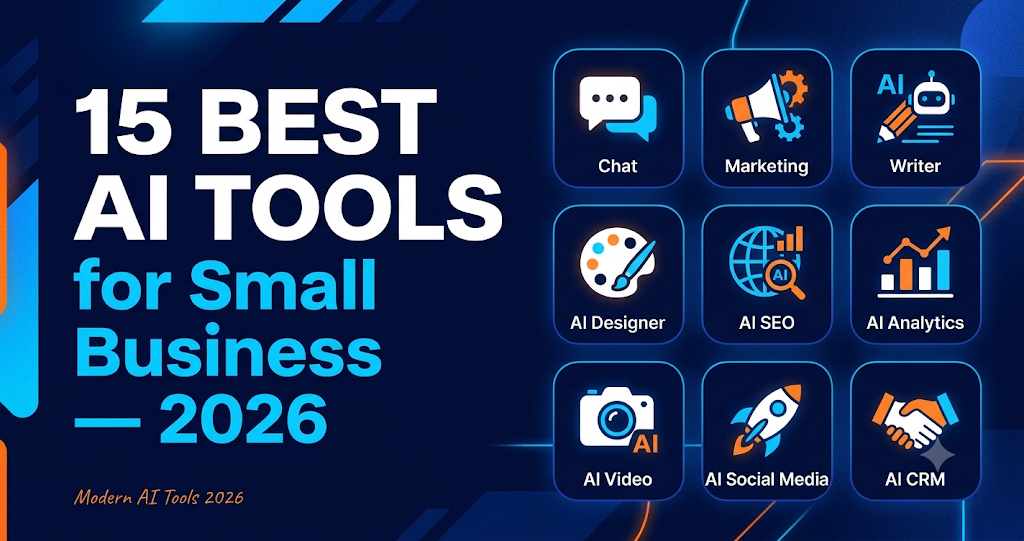
A Practical Guide for Busy Owners
The short version: AI software got roughly 90% cheaper in 2025. Tools that were enterprise-only 18 months ago now cost less than a monthly coffee subscription. Small businesses using just 3+ AI tools are recovering 25–40 hours a week — roughly the equivalent of a part-time hire, at a fraction of the cost.
But that explosion has created a new problem: there are now over 5,000 AI products on the market, and about 90% of them aren't worth your time. This guide cuts through that noise.
Every tool below passes three tests:
- Real small-business pricing — under $100/month to start, or a genuine free tier you can test before paying.
- Setup in under a day — a non-developer on your team can deploy the first use case in under 8 hours.
- Documented small-business results — real case studies with numbers, not marketing claims.
Most small businesses end up using four to six of these tools within their first year of AI adoption. Pick the category that maps to your biggest bottleneck and start there.
1. AI Chatbots & Customer Support
Tidio — Best all-round SMB chatbot. Live chat, AI chatbot, and email marketing in one tool. The AI bot trains on your FAQ and product pages, qualifies leads with a few quick questions, and routes hot leads to your team. Setup takes under an hour, no developer required. Free tier covers 50 conversations/month; paid starts at $29/month. Best for: businesses that want a chatbot live this week without touching code.
Chatbase — Best for training on your own documents. Upload your website URL, PDFs, help docs, or any text, and Chatbase instantly trains an AI chatbot that answers only from that material — no off-topic hallucinations. Embeds on any site (WordPress, Shopify, Webflow). Free tier with a badge; paid from $19/month for 10,000 message credits. Best for: knowledge-heavy businesses like consultants, SaaS, or e-commerce with detailed product specs.
Intercom Fin — Best for support-heavy teams. The AI agent reads your past tickets and help docs, resolves 40–50% of routine (tier-1) tickets without human touch, and routes the rest to reps with a suggested reply attached. From $39/seat/month plus per-resolution fees. No free tier. Best for: businesses with 2+ support reps handling 500+ tickets monthly. Overkill for occasional support volume.
2. AI Automation & Workflows
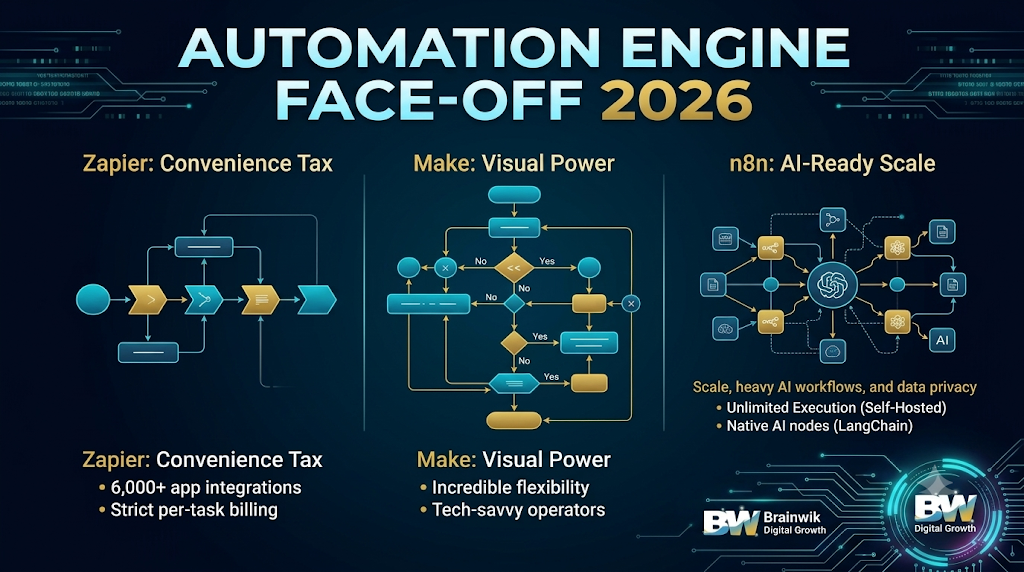
n8n — Best open-source automation with AI nodes. Has become the go-to choice for SMBs who want full control. Self-host it for free, or use the cloud version from $50/month for 10,000 operations. Built-in AI nodes for OpenAI, Anthropic, and Hugging Face let you build workflows (lead scoring, ticket routing, content generation) without writing code. Best for: businesses with a technical co-founder or a developer-curious operations person.
Make — Best visual automation builder. The visual alternative to Zapier, with more flexibility at lower cost. Drag-and-drop builder supports 1,500+ apps plus HTTP modules for any API. Built-in OpenAI and Anthropic modules let you add AI steps to any workflow. Free tier: 1,000 operations/month; paid from $9/month for 10,000 operations. Best for: businesses wanting more power than Zapier without paying Zapier prices.
Zapier AI — Best for non-technical owners. The easiest automation entry point, with 7,000+ app integrations, AI-powered workflow suggestions, and a chatbot builder that creates a bot trained on your content in minutes. Free tier: 100 tasks/month; paid from $19.99/month. Best for: businesses that want automation live today and are willing to pay a premium for simplicity.
3. AI Content & Marketing
Jasper — Best for branded marketing copy. An AI writer purpose-built for marketing teams. Trains on your brand voice, supports 50+ templates (ads, emails, blog posts, landing pages, social captions), and integrates with Surfer SEO for on-page optimization. From $39/seat/month. No free tier. Best for: businesses with a dedicated marketing person or founder-led marketing producing copy at volume.
ChatGPT — Best general-purpose AI writer. The Swiss Army knife — draft emails, summarize meetings, brainstorm content, write code snippets, analyze spreadsheets. The free tier handles most everyday writing tasks; Plus at $20/month unlocks the best models, custom GPTs, image generation, and web browsing. Best for: every small business, full stop.
Claude — Best for long-form analytical content. Outperforms on long-form analytical writing — blog posts, research summaries, contract review, technical documentation. A larger context window (200K tokens) lets you paste entire documents for analysis. Free tier available; Pro at $20/month unlocks the latest models. Best for: content-heavy marketing or anyone analyzing long documents.
4. AI Sales & CRM
HubSpot AI — Best if you already use HubSpot CRM. AI features are baked right into the CRM you may already use — AI lead scoring, email writer, chatbot, meeting scheduler, and content generator. Free CRM includes basic AI features; Starter at $15/month unlocks the full AI suite. Best for: businesses already on HubSpot — turning on AI takes one click, no integration needed.
Apollo AI — Best for B2B prospecting and enrichment. A B2B sales intelligence platform with a strong AI layer: 275M+ contact database, AI-powered prospecting that finds lookalikes of your best customers, AI email personalization, and an AI sequence builder. Free tier: 600 credits/month; paid from $49/month for 1,200 credits. Best for: B2B businesses doing outbound prospecting. If you sell B2C, skip this one.
[YOUR BRAND] — Featured: AI lead conversion for SMBs. The AI platform built specifically for small businesses that want to convert more website visitors into paying customers without hiring a sales team. Combines AI chatbot, lead scoring, email follow-up, and CRM integration in one tool. Setup takes under 2 hours. Free 14-day trial; pricing from [YOUR PRICE]. Best for: businesses (5–50 employees) that want one tool to handle the full lead-to-customer journey instead of stitching together five separate tools.
5. AI Productivity & Operations
Notion AI — Best for team knowledge management. Adds an AI assistant inside Notion, the workspace app your team may already use. Writes and edits docs, summarizes meeting notes, generates action items, autofills databases, and answers questions about your workspace content. $10/seat/month on top of Notion's plan. Best for: businesses already using Notion as their wiki, CRM, or project hub.
Fireflies AI — Best for meeting notes and summaries. Joins your Zoom, Google Meet, or Teams calls, transcribes them in real-time, generates AI summaries, extracts action items, and pushes them to your CRM or Slack. Every meeting is searchable afterward. Free tier: 800 minutes of transcription; paid from $10/month for unlimited. Best for: businesses spending 10+ hours a week in client or team meetings.
Gamma — Best for AI-generated presentations. Turns a single prompt into a complete, designed presentation in under 60 seconds — outline, slides, visuals, and speaker notes included. Edit inline like a doc, then export to PowerPoint or PDF. Free tier: 400 credits; paid from $10/month for unlimited AI presentations. Best for: businesses producing pitch decks, proposals, training decks, or social graphics regularly without a designer on staff.
Where to Start (Without Overwhelming Yourself)
On a zero budget? Start with n8n (self-hosted), ChatGPT free, and Chatbase free. These three alone cover automation, writing, and customer questions.
Want a proven minimum stack? Tidio + Make + ChatGPT + HubSpot AI + Fireflies AI covers leads, automation, content, CRM, and meetings — one tool per category.
Maximum power per dollar? Add [YOUR BRAND] for lead conversion, Claude for content, and Apollo AI for prospecting.
Worth paying for from day one:
- ChatGPT Plus ($20) — universal productivity lift
- Tidio ($29) — lead capture
- Make ($9) — automation backbone
- Claude Pro ($20) — content quality
- Fireflies AI ($10) — meeting recovery
That's about $88/month for the core paid stack.
Fine on the free tier: n8n self-hosted, Chatbase, Zapier, Gamma. Upgrade only when you hit usage limits.
Skip for now if you're under 10 employees: Intercom Fin (support volume too low), Jasper (ChatGPT does ~80% of the same work), Apollo AI (only for active B2B outbound).
The right approach: start with three free tools, deploy one paid tool per month, and re-evaluate quarterly based on actual usage — not marketing emails.
How to Choose the Right Tool
Four questions to narrow it down:
- What's your biggest bottleneck? If leads — start with a chatbot (Tidio or Chatbase). If operations — automation (Make or n8n). If content — ChatGPT or Claude. If sales — HubSpot AI or Apollo AI.
- How technical is your team? Non-technical: Tidio, Make, Zapier, ChatGPT. Developer-curious: n8n, custom GPTs, API integrations. The tool must match your team's skill level, not the other way around.
- What's your monthly budget? Under $50: free tiers plus one paid tool. $50–200: a full stack of 4–5 tools. $200+: enterprise-grade options like Intercom Fin become viable.
- What tools are you already using? On HubSpot? Use HubSpot AI. On Notion? Use Notion AI. The best AI tool is often the one already integrated with your stack — it removes the integration tax entirely.
Your 30-Day Rollout Plan
Don't deploy 15 tools at once. Roll out in this order:
- Week 1 — Foundation. Sign up for ChatGPT Plus and Make. Connect your inbox and CRM to Make. Build one simple workflow (lead form → CRM). Get comfortable with both before adding more.
- Week 2 — Lead capture. Deploy Tidio on your website. Train it on your FAQ and pricing page. Monitor conversations daily and refine the bot's answers based on what visitors actually ask.
- Week 3 — Content engine. Add Claude Pro. Draft one blog post and five email follow-ups. Compare output quality versus ChatGPT and decide which becomes your default writer.
- Week 4 — Meeting recovery. Add Fireflies AI to your next 5 meetings. Review the summaries and action items. Push action items to your CRM or project tool.
By the end of week 4, you'll have a 5-tool stack running and recovering 15–25 hours a week.